The best science apps for kids turn curiosity about the natural world into structured learning through experiments, videos, interactive simulations, and guided exploration.
Science is one of the easiest subjects to make engaging with the right app because kids are already curious about how things work.
Here are the strongest options across age groups, from early elementary through middle school.
What makes a science app worth using for kids
The best science apps for kids combine accurate content with interactivity. Apps that just show videos work like TV: passive consumption without retention. Apps that involve kids in experiments, simulations, or problem-solving produce much better learning outcomes.
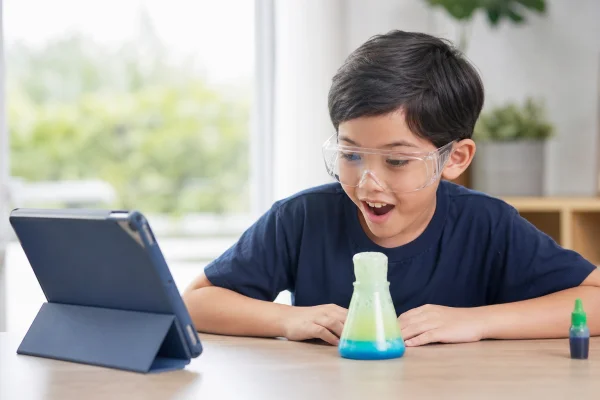
Age-appropriate language and visuals also matter significantly. A chemistry concept explained at a high school level will confuse a 7-year-old, even if the topic itself is fascinating. The top apps calibrate their explanations to match the child’s reading level and attention span.
Best science apps for kids compared
Best app to help kids learn chemistry
Chemistry is abstract for young learners because you can’t see molecules or atoms directly. The best apps for chemistry for kids make the invisible visible through animation and simulation.
Toca Lab: Elements is designed for ages 6 and up. Kids experiment with fictional lab equipment to “discover” elements and observe their behaviors. It’s not rigorous chemistry, but it builds curiosity and familiarity with the periodic table in a format that holds attention.
For older kids (10 and up), PhET Interactive Simulations from the University of Colorado is the strongest free tool available. Its chemistry simulations let kids build molecules, observe chemical reactions, and manipulate atomic structure in an interactive browser or app environment. It’s used in actual classrooms and is completely free.
Best physics apps for kids
Physics concepts like gravity, force, and motion are things kids already experience every day: the best apps connect those experiences to the underlying science.
PhET’s physics simulations are the gold standard here too. The “Forces and Motion” and “Wave on a String” simulations are simple enough for a 10-year-old to explore independently. Older kids can work through more complex simulations covering electricity, quantum phenomena, and thermodynamics.
For a more game-based approach, Simple Machines by Tinybop teaches how levers, pulleys, and inclined planes work through hands-on digital play. It’s designed for ages 7 to 12 and requires no reading, which makes it accessible for younger elementary students.
Best science apps for adults who want to learn
Several apps that start as tools for kids extend well into adult use. PhET Simulations and Khan Academy’s science section cover material from elementary through AP-level without being condescending about where you start.
For adults specifically curious about best apps for learning science topics they missed or want to revisit, Brilliant.org covers physics, chemistry, and mathematics through interactive problem-solving designed for adult learners. Plans start at around $24.99/month, with a free 7-day trial.
Best apps for learning biology
Biology apps for kids work best when they connect to living things kids can observe: animals, plants, the human body. Abstract cellular biology is harder to make engaging at a young age.
Complete Anatomy is a detailed 3D model of the human body used in medical schools. There’s a free version with limited access that’s plenty for curious middle schoolers who want to explore how the body works. It’s more advanced than a typical kids’ app but straightforward enough for a motivated 12 to 14-year-old.
iNaturalist connects kids to real citizen science by letting them photograph plants and animals outdoors and have them identified by a global community of naturalists. It turns a walk outside into a biology lesson without any preparation required.
Best science news apps for older kids and teens
Teenagers who are interested in science often grow past the app-based simulation stage and want to follow actual scientific developments. A few apps make current science news accessible and engaging for a teenage audience.
Science News for Students (at sciencenewsforstudents.org) covers research across biology, physics, chemistry, and earth science in accessible language calibrated for middle and high school readers. Stories are shorter and less technical than adult science journalism while still being substantively accurate.
NASA’s Jet Propulsion Laboratory (JPL) app gives access to raw images from current space missions, including Mars rovers and James Webb Space Telescope images as they’re released. Teens who are interested in space find this more compelling than curated educational content because the photos are real and current.
Smithsonian Magazine’s app covers science alongside history and culture in a format that’s readable for advanced middle schoolers. Its science articles connect scientific concepts to real-world significance, which helps teenagers understand why the topic matters beyond the classroom.
The best science apps work best when they’re paired with real-world observation. An app that explains how volcanoes form means more to a child who has seen a volcano video or touched a lava rock than to one who encountered the concept only on a screen. Science apps that connect to the outdoors, experiments on a kitchen table, or observations in a backyard create more durable curiosity than any purely screen-based experience. Use the app as a bridge, not a destination. The goal is a child who understands why a volcano erupts, not one who can tap the right answer on a touchscreen without connecting it to the world outside the device.
ℹ️ Note: This content is independent and informational only. We have no affiliation with any app or company mentioned. Pricing reflects publicly available data and may have changed. Always check age ratings and content before handing a device to a young child.
Best science apps for kids on iPad specifically
Tablets are the most natural interface for interactive science simulations because touch interaction with elements, molecules, and physics objects is more intuitive than clicking with a mouse. Most of the apps listed in this article have strong iPad versions, but a few are particularly well-designed for the larger touch screen.
Toca Lab: Elements was built first for iPad and takes full advantage of the touch screen with drag-and-drop element interactions. PhET simulations run well in Safari on iPad without a separate app download. NASA’s iPad app presents space imagery at a resolution that makes the most of the larger display, which is a compelling experience for kids interested in astronomy.