The best home security camera apps let you watch live footage, receive motion alerts, and review recordings from anywhere: all from your smartphone.
The app is just as important as the camera itself. A great camera paired with a clunky app is frustrating to use; a solid app makes even a mid-range camera feel premium.
Here’s what the top options offer and how to choose the right setup for your home.
What makes a home security camera app worth using
A good home security camera app does more than stream live video. The best ones deliver instant motion alerts with a preview clip, let you sort through event history without scrubbing through hours of footage, support multiple cameras on one screen, and give you two-way audio to talk through the camera.
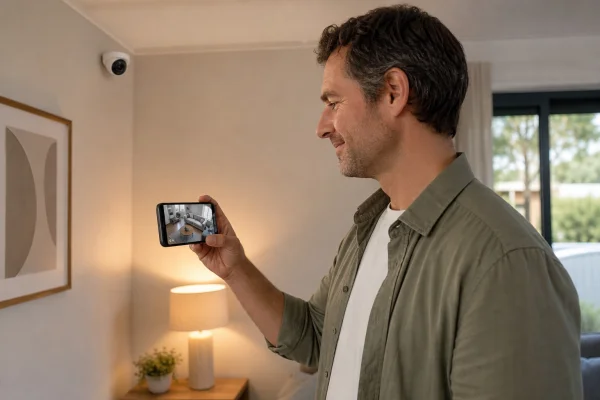
Cloud storage quality matters too. Some apps give you 24 hours of event history on the free tier. Others charge a monthly fee for anything beyond a live view. Knowing what’s free before you buy the camera avoids surprises later.
Best home security camera apps compared
Best cameras for home security you can watch on your phone
All major best cameras for home security systems now include apps with live view, but quality varies. Ring and Wyze consistently get the highest ratings for their mobile apps in terms of reliability, notification speed, and ease of navigating through event history.
Ring’s app is the most polished. Motion zones are easy to draw, alert sensitivity is adjustable per camera, and the event timeline lets you jump to any moment without slow scrubbing. The app also integrates with Amazon Alexa for voice commands and can display footage on Echo Show devices.
Best wifi security camera apps for outdoor use
Outdoor cameras need apps that handle best wifi for security camera connections reliably, even when the camera is at the edge of your network range. The two most common complaints about outdoor security cameras are dropped connections and delayed notifications: both are largely app and firmware issues, not hardware.
Arlo handles this best. Its cameras connect directly to your router (no hub required on most models) and the app’s notification delivery is consistently faster than Ring and Wyze in real-world use. The app supports geofencing: it automatically adjusts recording modes based on whether you’re home or away.
ℹ️ Note: Outdoor security cameras require a strong Wi-Fi signal at the installation point. Before buying, use your phone to check signal strength at the exact spot you plan to mount the camera. Weak signal leads to dropped recordings and delayed alerts regardless of which app you use.
Best camera for home security with no monthly fee
Monthly cloud storage fees add up quickly across multiple cameras. Eufy Security is the strongest option if you want to avoid recurring costs entirely. Eufy cameras store recordings locally on a home base station with no subscription required for up to 16 cameras.
The tradeoff is that local storage means your recordings are only accessible on your home network unless you set up remote access. If your base station is stolen or damaged in the same break-in, the recordings go with it. For truly critical footage, a hybrid setup with both local and cloud backup provides the most security.
Top cameras for home security: indoor vs. outdoor
Indoor and outdoor cameras serve different purposes and come with different app feature sets. Knowing which you need helps you choose the right system.
For most homes, a Ring Video Doorbell plus one or two outdoor Wyze cameras gives solid coverage at a reasonable cost. The Ring app handles the doorbell well, and Wyze’s app covers the outdoor cameras. Both apps are free to download, with optional paid cloud storage plans starting at $3 to $10 per month.
Best security cameras you can watch on your phone: cloud storage explained
Cloud storage is what lets you review footage from anywhere, not just when you’re home on the same network. Understanding how each brand handles storage helps you avoid paying for more than you need.
Ring offers 30-day event history (motion-triggered clips) on its Basic plan for $4.99/month per device, or $10/month for unlimited Ring devices. That’s per-clip storage, not continuous 24/7 recording.
Wyze gives 14 days of event-only storage for $2.99/month per camera on its Cam Plus plan. Wyze Cam Plus Lite is a pay-what-you-want option that covers basic motion events. Good value for budget setups.
Arlo includes 30 days of cloud storage on most newer camera models at no extra cost. Its Secure plan ($13/month) adds faster emergency response features and extended storage.
Nest (Google Home) requires a Nest Aware subscription for event history: $8/month for 30 days of event clips, $15/month for continuous 10-day recording. Without a plan, you get no recorded history at all.
If you prefer everything in one app with no compromise on quality, Arlo’s all-outdoor lineup managed through its single app is the premium choice for whole-home camera coverage.
Before you finalize your setup, think through placement. A camera pointing at the front door is only useful if it has a clear angle on approaching visitors, not just the door itself. Outdoor cameras should overlap slightly in coverage so there are no blind spots between them. The best app in the world can’t help you if the camera angle misses the entry point you’re trying to cover.
Start with the highest-risk entry point (usually the front door) and add cameras from there based on your specific layout. One well-positioned camera is more useful than four cameras pointing at low-traffic areas.
After installation, walk around your property during the day and night to check how each camera’s field of view appears in the app. Night vision quality varies between models, and testing it before you actually need it means you won’t be surprised by dark corners in a recording when something does happen.
ℹ️ Note: This content is independent and informational only. We have no affiliation with Ring, Arlo, Wyze, Eufy, or any other company mentioned. Pricing reflects publicly available data and may have changed. Always verify current pricing and subscription terms directly with each provider.